
 Image 1 of 4
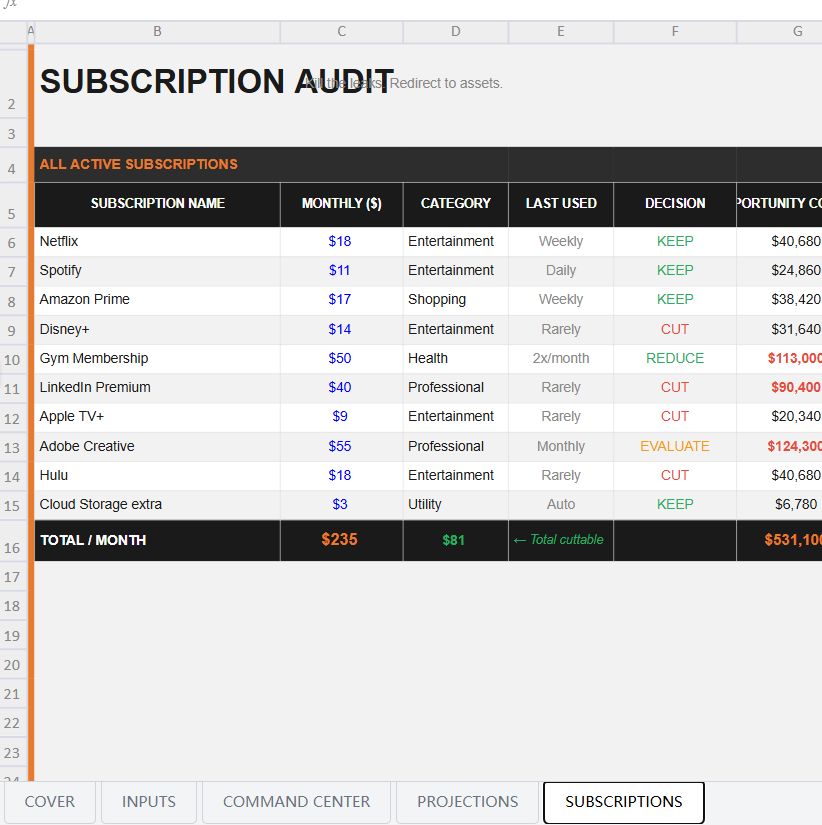 Image 2 of 4
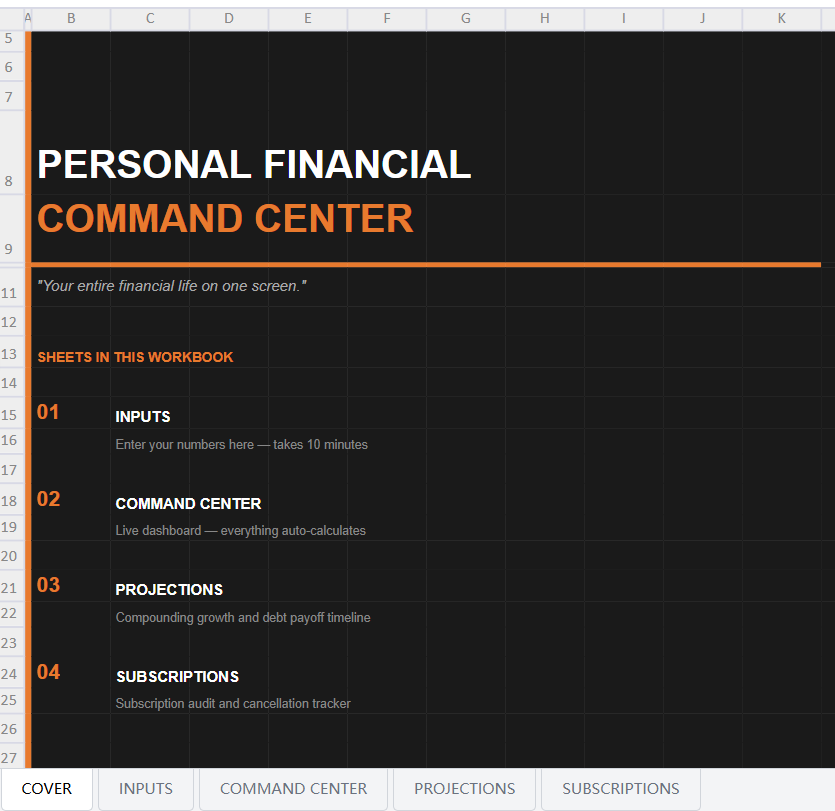 Image 3 of 4
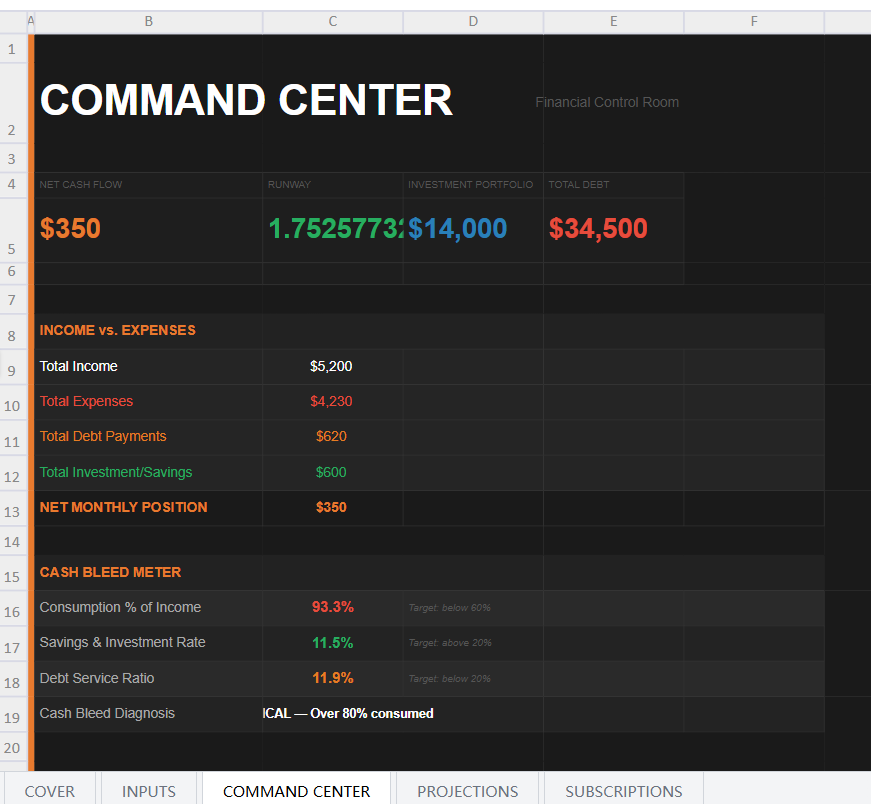 Image 4 of 4
CEOs have dashboards. Pilots have instrument panels. You are the CEO of your financial life — but you've been flying blind.
The Personal Financial Command Center is a single Excel workbook that pulls your income, expenses, debt, investments, and savings into one mission-control screen. Input your numbers once. Every metric auto-calculates: cash flow position, financial runway, compounding projection, debt payoff timeline, and asset accumulation trajectory.
The moment you see it all in one place for the first time, something shifts. Most people feel a combination of shock, clarity, and motivation — often all three simultaneously.
WHAT'S INCLUDED:
EXCEL SPREADSHEET — 4 tabs:
→ Inputs — One clean input sheet: take-home income, 10 expense categories, 3 debt lines with balances and rates, savings balance, investment portfolio, monthly contributions, and expected return. Enter everything once
→ Command Center — The dark-themed main dashboard. Four KPI cards at the top (net cash flow, runway in months, investment portfolio, total debt). Income vs. expenses breakdown. Cash Bleed Meter showing consumption %, savings rate, debt service ratio, and a live diagnosis of your financial status
→ Projections — Three-scenario compounding table (6%, 10%, 14% return) across 5/10/20/30 years. Month-by-month 12-month projection with opening balance, contributions, growth, and closing balance. Debt destruction timeline showing exact payoff date and total interest paid for each debt using NPER calculation
→ Subscriptions — Full subscription audit table with monthly cost, category, last used date, keep/cut/reduce decision, and 30-year opportunity cost for every entry. Auto-totals cuttable subscriptions
PDF GUIDE — 4 pages:
→ Complete input field reference with where to find each number
→ Dashboard metric explanations with formulas
→ How to use the projections tab for goal-setting
→ Advanced usage and monthly update protocol
WHO THIS IS FOR:
Anyone who has more than one account, more than one debt, and has never seen all their numbers in the same place at the same time. People ready to move from financial awareness to financial control.
FILE DETAILS:
Format: Microsoft Excel (.xlsx) + PDF
Includes: Command Center Excel file + User Guide PDF
Instant download. No subscription. Yours forever.
CEOs have dashboards. Pilots have instrument panels. You are the CEO of your financial life — but you've been flying blind.
The Personal Financial Command Center is a single Excel workbook that pulls your income, expenses, debt, investments, and savings into one mission-control screen. Input your numbers once. Every metric auto-calculates: cash flow position, financial runway, compounding projection, debt payoff timeline, and asset accumulation trajectory.
The moment you see it all in one place for the first time, something shifts. Most people feel a combination of shock, clarity, and motivation — often all three simultaneously.
WHAT'S INCLUDED:
EXCEL SPREADSHEET — 4 tabs:
→ Inputs — One clean input sheet: take-home income, 10 expense categories, 3 debt lines with balances and rates, savings balance, investment portfolio, monthly contributions, and expected return. Enter everything once
→ Command Center — The dark-themed main dashboard. Four KPI cards at the top (net cash flow, runway in months, investment portfolio, total debt). Income vs. expenses breakdown. Cash Bleed Meter showing consumption %, savings rate, debt service ratio, and a live diagnosis of your financial status
→ Projections — Three-scenario compounding table (6%, 10%, 14% return) across 5/10/20/30 years. Month-by-month 12-month projection with opening balance, contributions, growth, and closing balance. Debt destruction timeline showing exact payoff date and total interest paid for each debt using NPER calculation
→ Subscriptions — Full subscription audit table with monthly cost, category, last used date, keep/cut/reduce decision, and 30-year opportunity cost for every entry. Auto-totals cuttable subscriptions
PDF GUIDE — 4 pages:
→ Complete input field reference with where to find each number
→ Dashboard metric explanations with formulas
→ How to use the projections tab for goal-setting
→ Advanced usage and monthly update protocol
WHO THIS IS FOR:
Anyone who has more than one account, more than one debt, and has never seen all their numbers in the same place at the same time. People ready to move from financial awareness to financial control.
FILE DETAILS:
Format: Microsoft Excel (.xlsx) + PDF
Includes: Command Center Excel file + User Guide PDF
Instant download. No subscription. Yours forever.